
Feedback. Ask every guest. Act on every answer.
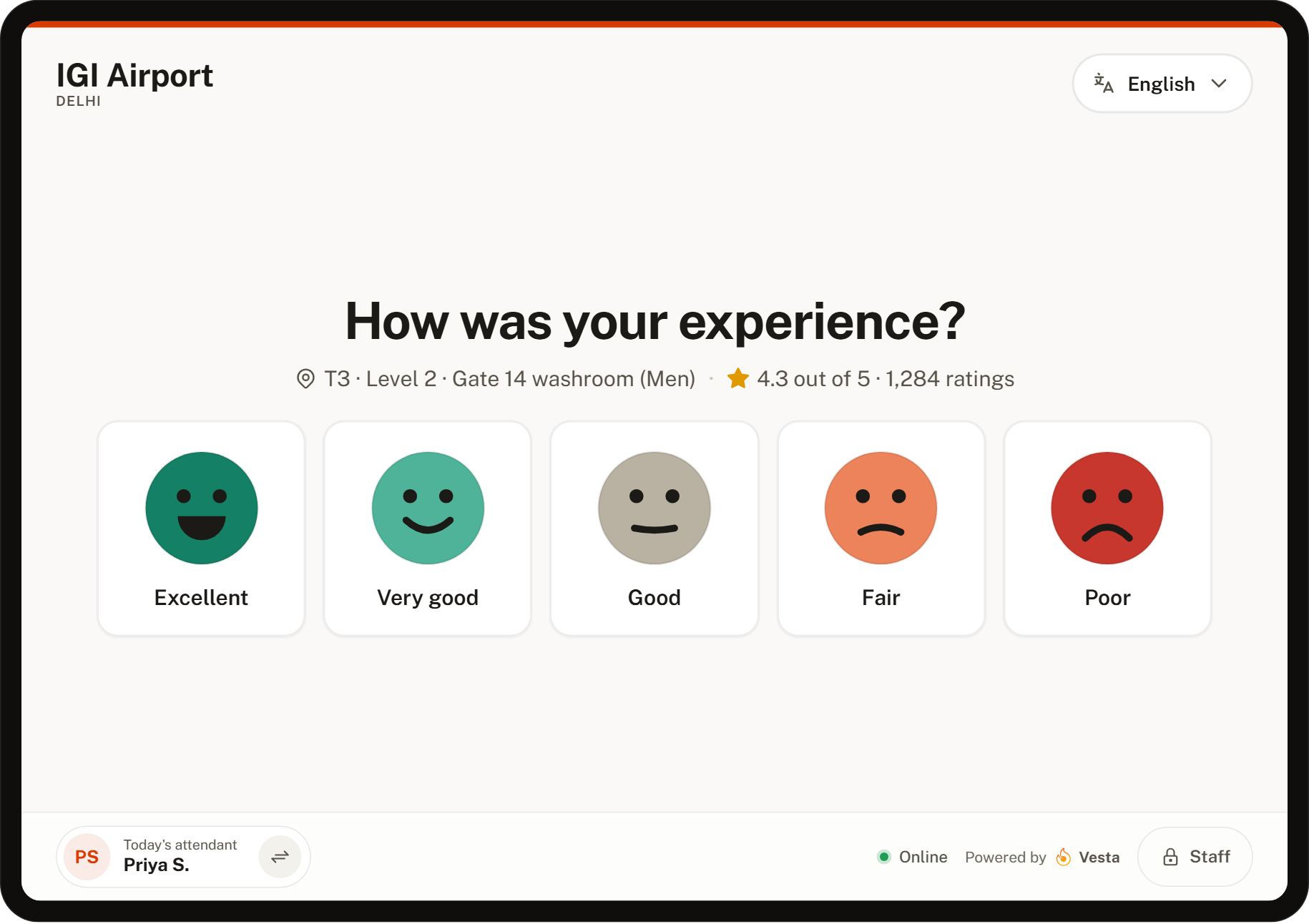
Kiosks, tablets and QR codes at washrooms, gates and lounges. One question, five labelled faces, one tap. A poor rating becomes a task for the right department before the guest has walked away.
Feedback, in six parts.
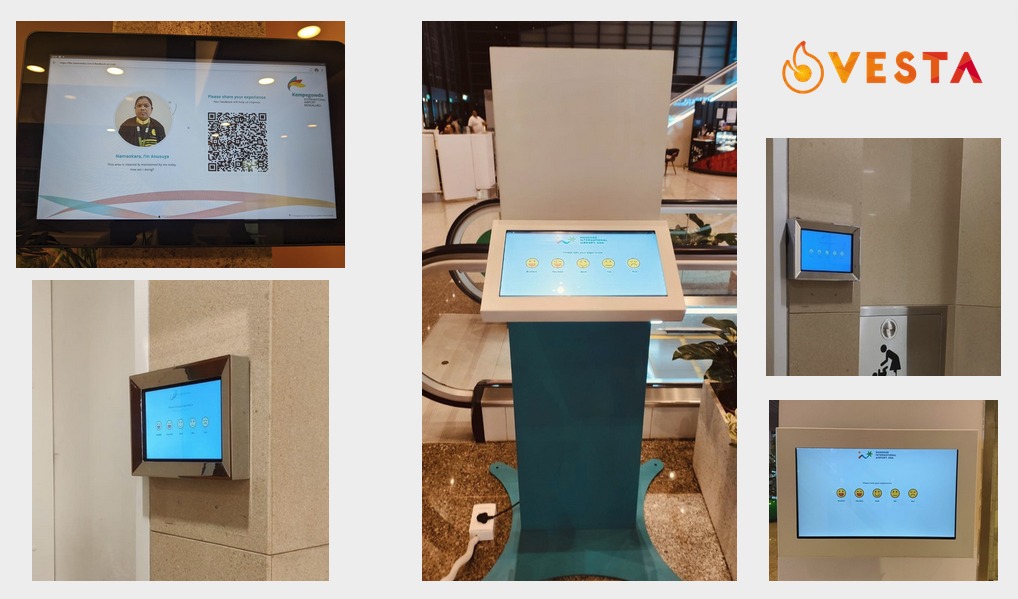
Kiosk, tablet or QR
Touch kiosks and wall tablets, non-touch screens that show a QR code and the attendant on duty, or a printed code. The same steps on the guest’s own phone.
One question, five faces
Big targets, a word under every face, colours that still read in greyscale. Only a low rating asks what to improve.
Ratings become tasks
A rating at or below your threshold raises a task for the department that owns the location, with the issue the guest picked.
Staff on duty
The attendant shown on screen comes from the deployment sheet. Ratings roll up per person for recognition and rewards.
Many languages, voice to text
Guests rate in their language. Spoken comments are transcribed in over 100 languages.
Your brand on the screen
Each organization sets its colours and logo. Vesta appears only as "Powered by Vesta".
Three steps, every time.
Rate
A stranger, a metre away, ten seconds. One question and five faces, nothing else on the screen.
Say what to improve
A low rating shows the issues for that location as tiles. Compliments are captured the same way.
Act
The response is on the desk at once. Below the threshold it is already a task with the location filled in.
Four ways to ask.
Mix them per location. A washroom gets a wall tablet, a lounge a kiosk, a gate a printed QR.
QR codes
Printed at the location. Guests scan and rate on their own phone.
Touch tablets
Wall-mounted at washrooms and gates. The classic five-face screen.
Non-touch screens
Show the attendant on duty and a QR code. No shared surface.
Free-standing kiosks
For lounges, halls and arrivals. Branded for the organization.
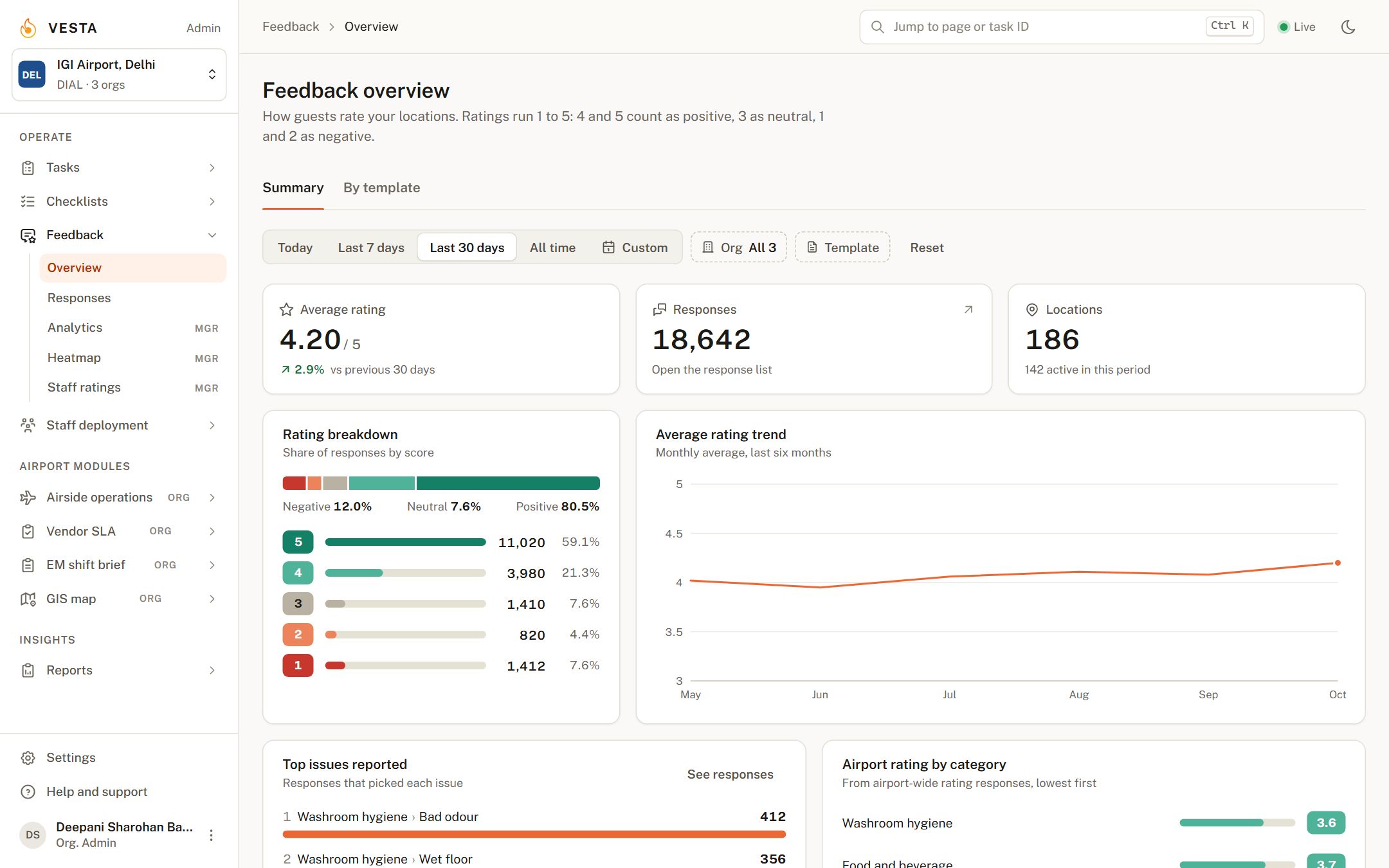
Ratings, issues and the best and worst locations.
The overview shows the rating trend, the distribution, the issues guests pick most and the locations that need attention. A heatmap shows ratings across the terminal, and staff ratings feed recognition programmes.
What customers report.
Frequently asked.
What happens to a bad rating?
A rating at or below the threshold you set raises a task for the department that owns that location, with the issue the guest picked. It is tracked and escalated like any other task.
Can feedback be collected without touching a screen?
Yes. Non-touch screens and printed QR codes let guests rate on their own phone.
Is there a charge for adding locations or touchpoints?
No. Add as many locations and devices as you need.
How does voice to text work?
A guest can speak a comment instead of typing it. It is transcribed into text in over 100 languages and attached to the response.
Does it integrate with our CRM?
Yes. Ratings and responses can be pushed to your CRM so they sit next to the rest of your guest data.
How do we read the results?
The feedback overview, responses list, heatmap and staff ratings are in Admin. Reports can be scheduled to email.
The rest of the platform.
Tasks
Every incident, request and observation in one log. Tasks reach the right department on their own, escalate when they stall, and close with photo evidence.
Raise it, route it, close it.Checklists
Scheduled inspections on a phone, started by scanning the QR code at the location. Photos where you require them, missed rounds in red, a PDF for every submission.
Rounds that prove themselves.Staff deployment
Digital deployment sheets tied to biometric attendance. Only staff who clocked in on the premises can be placed on a location, so shortage reports and monthly bills come straight from the record.
Deployment sheets your vendors cannot dispute.See Feedback on your own data.
A 30-minute walkthrough with your locations, departments and task types. No slides.