Checklists. Rounds that prove themselves.
Scheduled inspections and audits on a phone, started by scanning the QR code at the location. Answers need a photo where you say so, missed rounds show up red on the desk, and every submission becomes a PDF.
Checklists, in six parts.
Scan to start
The QR code at the location opens its checklist. There is no way to fill a round from somewhere else.
Scheduled rounds
Hourly, per shift, daily or weekly, with a window for each. A round not submitted in its window is marked missed.
Evidence rules
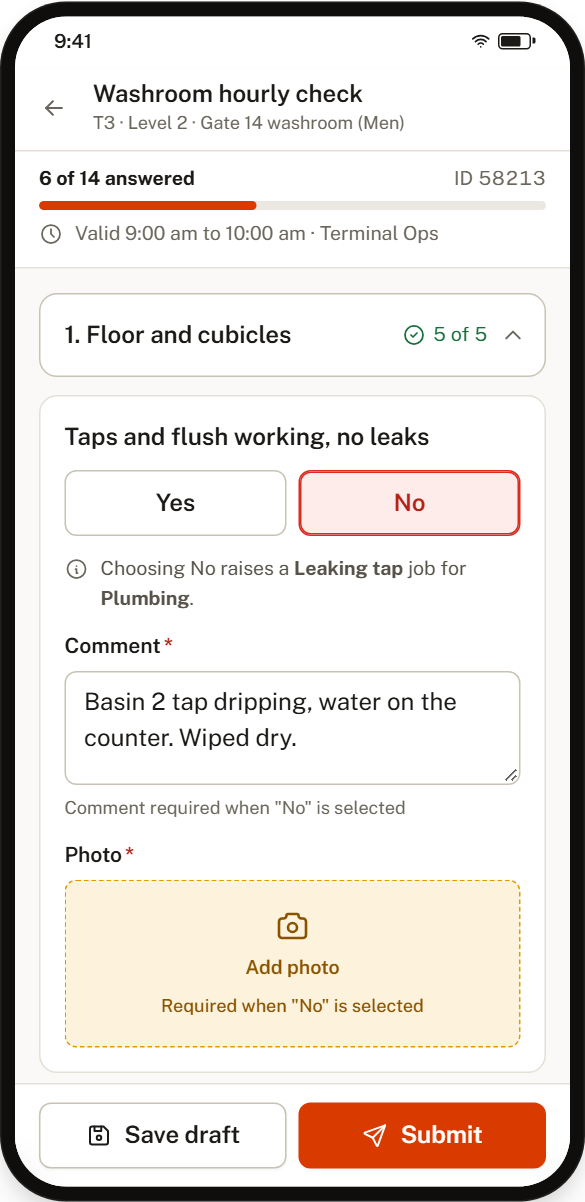
Any item can require a photo or a comment, for a "No" or always. Photos come from the camera, never the gallery, and are stamped with time and place.
A "No" raises a task
Each item can name the task type and department a failed check should raise. The job is created the moment the round is submitted.
Works without signal
Answers are saved on the device as drafts and sent when the phone is back online.
Templates that match the regulator
Sections, item types, mandatory evidence and approval steps. Ready-made templates follow DGCA-style inspection reports.
Three steps, every time.
Scan
Staff scan the QR at the washroom, gate or stand. The right checklist opens, timed and tied to that location.
Answer
Yes, No, Not applicable, numbers or text. A "No" asks for a comment and a photo, and raises a task for the department you chose.
Submit
Sent for approval if the template needs it, then filed as a PDF. The desk sees completed, late and missed rounds by location.
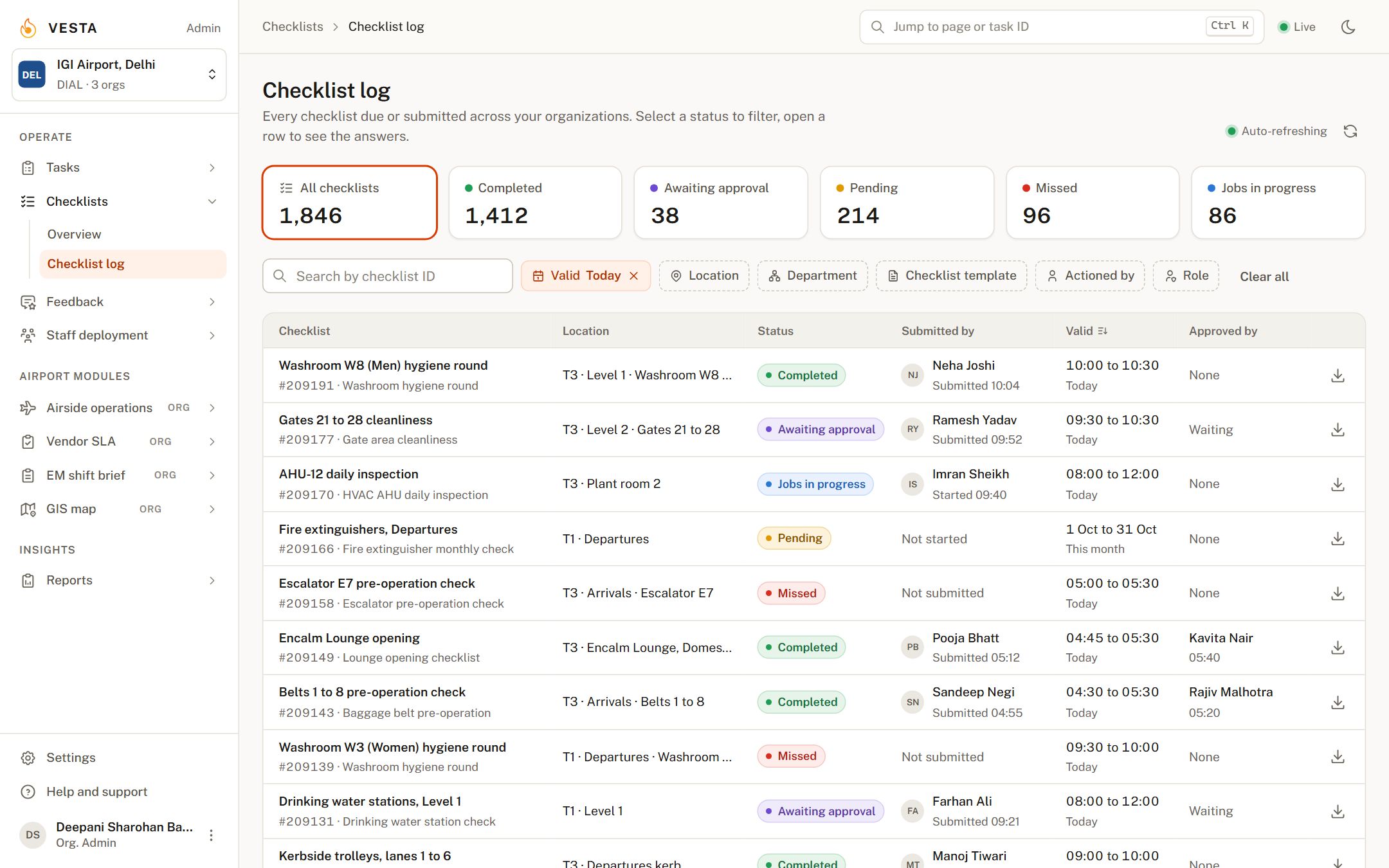
Completed, late and missed, by location.
Status tiles filter the checklist log. Open a row to read every answer and photo and to approve or send it back. Location-wise analysis, department SLA adherence and trend reports are built in, with custom reports on request.
What customers report.
Frequently asked.
How does the QR code work?
Each location gets a printed QR code. Scanning it in the Checklists app opens the checklist assigned to that location, so the round is tied to where it was done.
Can rounds be scheduled?
Yes. Templates run hourly, per shift, daily or weekly with a window for each, and reports go out on their own schedule.
How does it help with regulatory compliance?
Ready-made templates follow DGCA-style inspection reports, mandatory evidence is enforced per item, and every submission is kept as a PDF with its photos and approvals.
What happens if a round is missed?
It is flagged as missed in the log and on the dashboard, and the people responsible are notified, so it is handled before an audit finds it.
Can someone fill a checklist without being at the location?
No. The checklist only opens by scanning the QR at the location, and photos must come from the camera, not the gallery.
The rest of the platform.
Tasks
Every incident, request and observation in one log. Tasks reach the right department on their own, escalate when they stall, and close with photo evidence.
Raise it, route it, close it.Feedback
Kiosks, tablets and QR codes at washrooms, gates and lounges. Five faces, one tap, and a poor rating becomes a task for the right department before the guest has walked away.
Ask every guest. Act on every answer.Staff deployment
Digital deployment sheets tied to biometric attendance. Only staff who clocked in on the premises can be placed on a location, so shortage reports and monthly bills come straight from the record.
Deployment sheets your vendors cannot dispute.See Checklists on your own data.
A 30-minute walkthrough with your locations, departments and task types. No slides.